
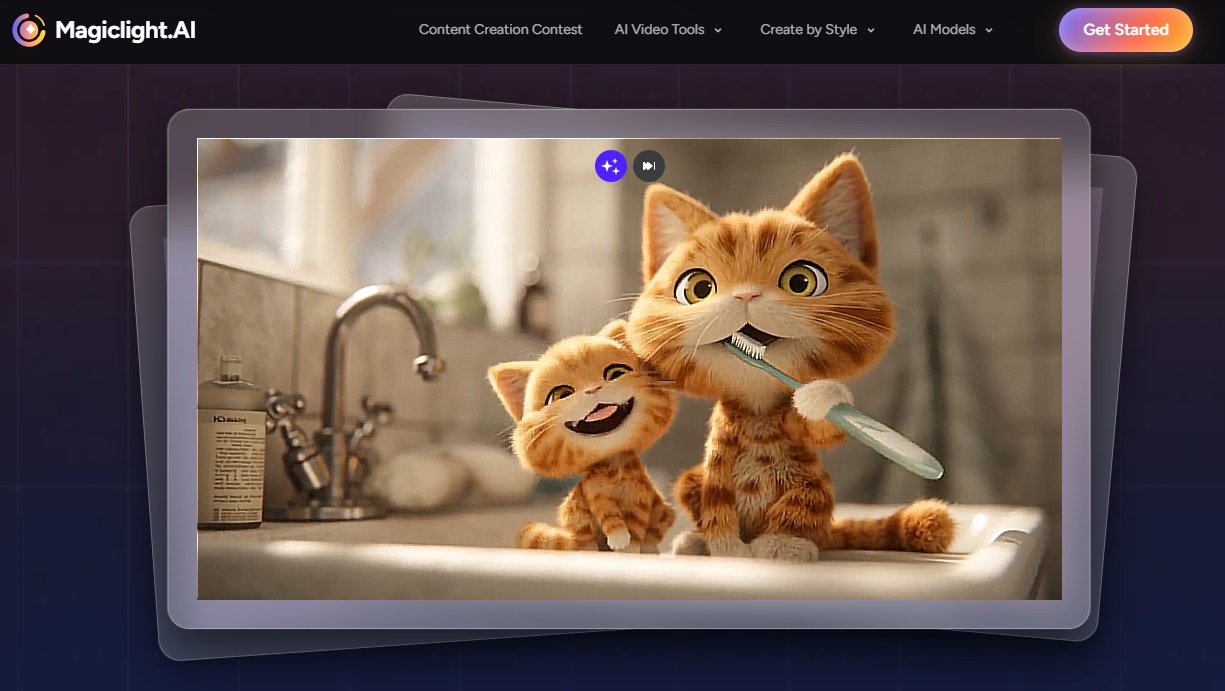

If you’ve ever wanted to turn a story into a video without losing your mind (or your wallet), Magiclight AI might be your new favorite tool.
So… What’s the Big Deal with Magiclight AI?
Let’s be real—making story-based videos has always been a pain. Animation takes forever, hiring help is expensive, and most of us don’t exactly have Pixar-level skills lying around. Writers want visuals, teachers want engaging lessons, and marketers want results… yesterday.
That’s where Magiclight AI comes in.
In this Magiclight AI review, I’m breaking down why so many creators are buzzing about it in 2026. The big promise? You write some text, and Magiclight AI turns it into a fully animated story video—no cameras, no animation software, no headaches.
And here’s the kicker: unlike most AI video tools that tap out at short clips, Magiclight AI can handle videos up to 30 minutes long. Yep, actual storytelling, not just flashy snippets.
Early users say it’s up to 10x faster than doing animation the old-school way, which explains why it’s being mentioned alongside tools like Pictory, InVideo, and Runway—but for long-form stories, it honestly feels like it’s playing in a different league.
In this review, I’ll walk you through:
- What Magiclight AI actually does
- The features that matter (and the ones that don’t)
- Pricing and plans
- How to make your first story video
- Real pros, cons, and how it stacks up
If you’re into storytelling—not just quick promo clips—this one’s worth a closer look.
What Is Magiclight AI, Anyway?
At its core, Magiclight AI is an AI story video generator that turns scripts into animated videos that actually stay consistent. Same characters, same style, same vibe—start to finish.
That might sound small, but if you’ve ever used AI video tools before, you know how rare that is. No random character swaps. No “wait… who’s that?” moments.
It works especially well for:
- Kids’ story videos
- Educational explainers
- Brand storytelling
- Training content
- Long-form YouTube videos
Instead of tossing random visuals together, Magiclight AI builds a proper narrative flow. Everything lives inside Magiclight Studio, which is basically your control center for scripts, scenes, voices, and exports.
How It Works (No Tech Degree Required)
The process is refreshingly simple:
- Drop in your story or script
- Pick a visual style and voice
- Let the AI do its thing—scenes, characters, narration, all of it
That’s it. No timeline wrestling. No manual animation.
What Powers It Under the Hood
- Smart character consistency (huge win for long videos)
- 20+ animation and illustration styles
- Natural-sounding AI voices in multiple languages
- Automatic storyboarding, scene by scene
- Cloud rendering (your laptop won’t cry)
Magiclight AI isn’t trying to be “just another video editor.” It’s built specifically for storytelling—and honestly, that focus shows.
Let’s Talk Features (The Good Stuff)
AI Script Generator
Got an idea but don’t know how to structure it? Magiclight AI can help write or polish your script. Super handy for kids’ stories, lessons, or brand narratives.
Automatic Storyboards
Once your script is in, the tool breaks it into scenes automatically. Each scene comes with visuals, characters, backgrounds, and motion—without you touching a timeline.
Consistent Characters (Finally!)
This is where Magiclight AI really shines. Characters actually look the same throughout the entire video. No awkward design changes halfway through.
AI Voiceovers
You get multiple voices, languages, and emotional tones. Want calm? Excited? Storyteller vibes? You can tweak it all.
Export Options
Videos are optimized for YouTube, online courses, or marketing funnels—so you’re not stuck re-editing later.
Quick Feature Comparison
| Feature | Magiclight AI | InVideo AI | Pictory |
|---|---|---|---|
| Max Video Length | Up to 30 mins | 10 mins | 5 mins |
| Story Consistency | High | Medium | Low |
| Best Use | Storytelling | Marketing clips | Short videos |
Magiclight ai pricing (2026 Update)
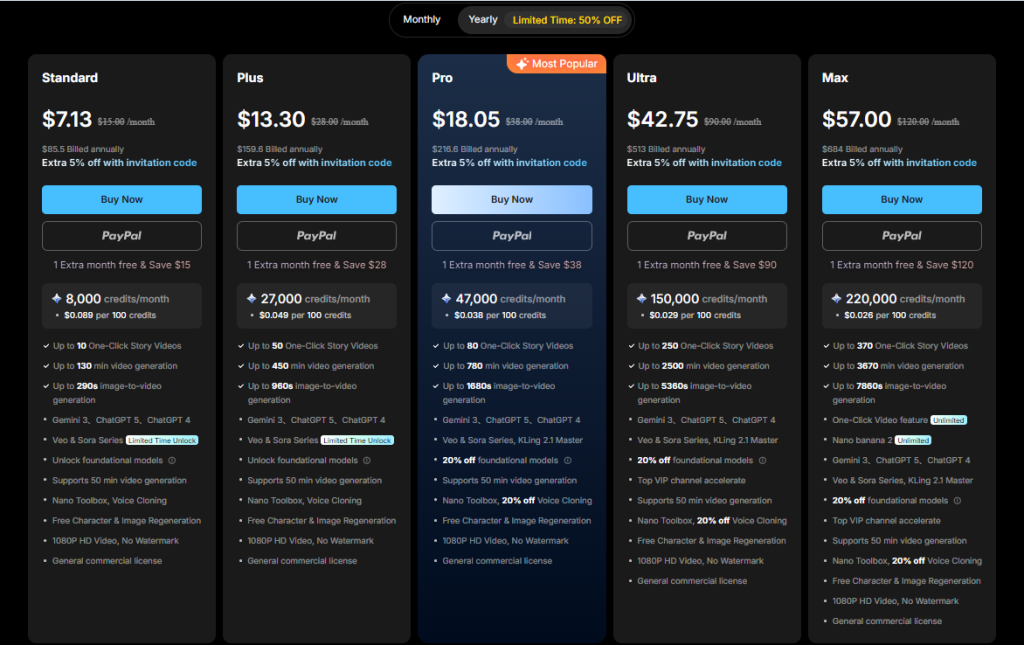
Magiclight uses a credit-based system, which sounds scary at first—but it actually gives you flexibility depending on how long your videos are.
Plans Usually Include
- Free trial (great for testing)
- Starter plan for casual creators
- Pro plan for YouTubers, teachers, and agencies
Credits depend on video length, resolution, and voice use.
Money-Saving Tip
Use the Magiclight AI coupon code “a5n2kied1” to get a discount when signing up. Always nice to save a few bucks.
Pros
- Great for long videos
- No fancy hardware needed
Cons
- You’ll want to plan credit usage
- Power users may need higher tiers
How to Make a Story Video (Step-by-Step)
Here’s the quick version:
- Log into Magiclight Studio
- Start a new “Story Video” project
- Paste in your script (or generate one)
- Pick a visual style
- Customize your characters
- Choose an AI voice
- Review the scenes
- Fine-tune prompts (emotions help a LOT)
- Render the video
- Download or publish
A 5-minute kids’ story can realistically be done in under 20 minutes, which is kind of wild.
What Real Users Are Saying
Overall feedback is solid, with average ratings around 4.5 out of 5.
Some standout results:
- Teachers cutting lesson creation time by 70%
- Story channels hitting 50K views in a week
- Brands seeing higher engagement from animated stories
A common theme? Magiclight AI works especially well for longer, story-driven content—not just quick clips.
Pros, Cons & Honest Comparison
What I Like
- Built for long-form storytelling
- Characters stay consistent
- Easy to use
- Voiceovers sound natural
What Could Be Better
- Needs an internet connection
- Credit system takes a little getting used to
Compared to tools like Synthesia or Runway, Magiclight AI feels way more focused on storytelling instead of flashy promo videos.
Final Thoughts: Is Magiclight AI Worth It?
If you’re serious about creating story-based videos at scale, this Magiclight AI review makes one thing clear: it delivers where a lot of tools fall short.
It’s fast, flexible, and genuinely good at long-form storytelling. And with the Magiclight AI coupon code “a5n2kied1”, it’s even easier to give it a try without overthinking it.